
Mahjong Master: Tile Sort and Match

Pick two matching mahjong tiles, watch them vanish, and keep going until the layout is empty. This is a relaxed take on mahjong solitaire with hundreds of levels, Japanese-style scenery and soothing music in the background. When a board gets tricky, you can lean on hints, a shuffle or an undo. Everything runs on a simple click or tap.
How to play Mahjong Master: Tile Sort and Match
- Select two tiles that look the same to remove them.
- Keep pairing until the board is clear.
- Click with a mouse or tap on a touch screen.
- Tap a power-up if you are stuck: hint, shuffle or undo.
What we saw when we played Mahjong Master: Tile Sort and Match
When we opened Mahjong Master Tile Sort and Match on October 15, 2026, on a desktop browser, the first frame was a loading screen: a single white mahjong tile with a green back and a black character on a teal background, a spinning wheel, and a yellow progress bar reading 99%. A later frame showed a warm Japanese-style room with a round window, a cartoon green tile character holding a magnifying glass, and a yellow Lv. 1 button on a low table.
The play screen was a calm underwater scene with koi fish, petals and lily pads. Lv. 1 sat at the top, above an empty green tray with a lotus flower and a cream panel saying "Tap two identical mahjong tiles". A small cluster of tiles showed bamboo-style characters, circles and wind characters, with an animated hand pointing at a tile. In our last three frames the board stayed the same, with only the fish drifting, so we did not see a pair cleared or a level finish. The hint matches the game's own instruction to click or tap, and the board was easy to read.
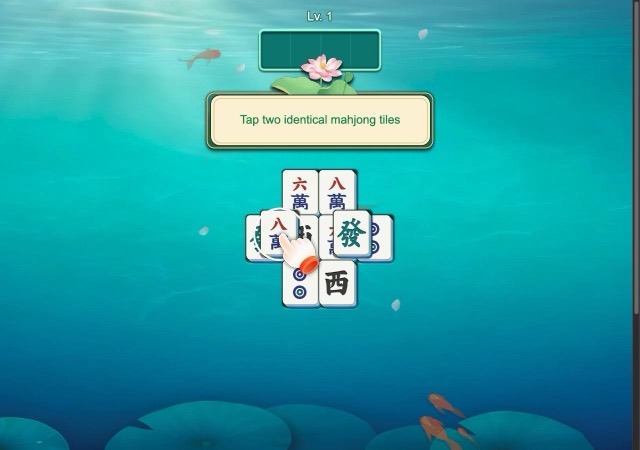
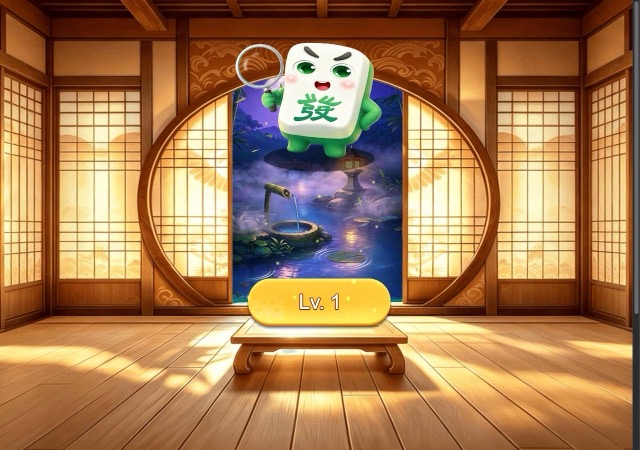
Played on a desktop browser on October 15, 2026. Screenshots are our own captures of the game.
Mahjong Master: Tile Sort and Match FAQ
How do you play Mahjong Master Tile Sort and Match?
The on-screen hint at the start reads "Tap two identical mahjong tiles". You click or tap a tile, then its matching twin, and the pair is removed. The game's own instructions only mention mouse click or tap.
Is there a tutorial?
Yes, level one opened with a hint panel and an animated pointing hand over the tiles. The panel told us to tap two identical mahjong tiles, so the first level works as the tutorial.
Does it work on a phone?
Nothing we read says either way whether it supports phones. Its controls are described as click or tap, which suggests touch input is supported, but we only tested it on a desktop browser.
Category: Puzzle. Game distributed by GameMonetize; it runs on the distributor's servers and may show its own ads.
More Puzzle games
 PLAY
PLAY PLAY
PLAY PLAY
PLAY PLAY
PLAY PLAY
PLAY PLAY
PLAY