
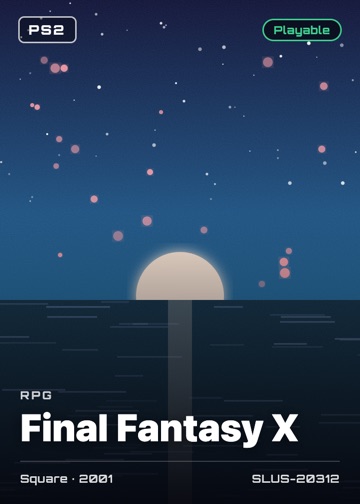
Play Final Fantasy X Online – PS2 Browser Emulator
Use a disc image of a game you own – the file stays on your device and is never uploaded.
Play!: Playable
On the Play! emulator's compatibility tracker, the best result for Final Fantasy X is "Playable" (NTSC-U, SLUS-20312).
Play Final Fantasy X in your browserCompatibility by version
Can you play Final Fantasy X in your browser?
Yes, with a disc image you own. Play! reports Final Fantasy X as fully playable, and Play! runs in a browser. Use our browser emulator. Keep in mind that the tracker covers Play! on every platform, and its browser version is described by the project as an experiment, so results in a browser can be worse than on a desktop.
Final Fantasy X compatibility by disc version
| Region | Disc ID | Status | Known issues | Report |
|---|---|---|---|---|
| NTSC-U | SLUS-20312 | Playable the game is fully playable. | – | Tracker report tested May 1, 2025 |
| PAL | SCES-50490 | In-game gameplay is accessible, but major bugs prevent playability. | – | Tracker report tested July 21, 2019 |
Source: Play! compatibility tracker, read October 14, 2026. Status and issue definitions are the tracker's own.
Which Final Fantasy X disc should you use?
Two discs are listed for Final Fantasy X on the Play! compatibility tracker. The NTSC-U disc (SLUS-20312) is marked Playable, with the tester describing it as fully playable with good performance. It was last tested on May 1, 2025. The only remaining issue noted is a small texture glitch in the background effect when a skill or special move asks for timed input, and it lasts under a second.
The PAL disc (SCES-50490) is marked In-game, tested on July 21, 2019. The report says gameplay can be reached but comes with stuttering audio and visual glitches. For someone picking a disc, the NTSC-U report is the more encouraging one, though it is also the more recent test. The tracker covers Play! on all platforms, so results in a browser may be worse than what is listed.
What testers reported for Final Fantasy X
Notes from the volunteers who tested Final Fantasy X on Play! and filed the tracker reports. They describe the emulator at the time of each test; newer builds may behave differently, and the browser version can perform worse than desktop.
NTSC-U (SLUS-20312), tested May 1, 2025
- Fully playable with good performance.
- A small texture corruption appears on the background effect when a skill or special move asks for a timed button input; it lasts less than a second.
Source: tracker report, tested on this Play! build.
PAL (SCES-50490), tested July 21, 2019
- Gameplay is reachable, with stuttering audio and visual glitches.
Source: tracker report, tested on this Play! build.
How to play Final Fantasy X in your browser
- Make a disc image (for example an ISO) from your own copy of Final Fantasy X. We do not provide game files.
- If you have a choice of versions, the NTSC-U release (SLUS-20312) has the best reported result.
- Open our browser emulator in a recent version of Chrome or Firefox.
- Pick your disc image. Play!.js reads the file locally inside your browser (as its source code shows); it is not uploaded.
Final Fantasy X controls in the browser emulator
Play!.js is played with the keyboard. Its default layout maps the PS2 controller like this; the browser build sets up no gamepad bindings by default. Click the game screen once before you start: the emulator listens for key presses on its game screen, so keys only register while it has focus.
| PS2 controller | Keyboard |
|---|---|
| D-pad | Arrow keys |
| Left analog stick | T / F / G / H (up / left / down / right) |
| Right analog stick | I / J / K / L |
| Cross ✕ | Z |
| Circle ○ | X |
| Square □ | A |
| Triangle △ | S |
| L1 / L2 / L3 | 1 / 2 / 3 |
| R1 / R2 / R3 | 8 / 9 / 0 |
| Start | Enter |
| Select | Backspace |
Source: default bindings in the Play! source code (Source/ui_js/Main.cpp). Number keys are read from the top row, not the numeric keypad.
About Final Fantasy X (PS2)
Final Fantasy X is a role-playing game from Square, released for the PlayStation 2 in 2001. It is the tenth main entry in the Final Fantasy series and the first to use fully three-dimensional areas and voice acting, although some locations still rely on pre-rendered backgrounds. Square Product Development Division 1 developed it, and Square Electronic Arts handled the North American release.
The story is set in Spira, a world drawn partly from the South Pacific, Thailand, and Japan. Tidus, a star player of the made-up sport blitzball, lands in Spira after a monster called Sin wipes out his home city of Zanarkand. He joins the summoner Yuna on a journey to stop Sin and learns that its true nature is bound up with his missing father, Jecht. Wikipedia describes the game as a critical and commercial success, with more than 8.5 million units shipped on PlayStation 2. It was followed by Final Fantasy X-2 in 2003, which made it the first game in the series to get a direct sequel.
| Developer | Square Product Development Division 1 |
|---|---|
| Publisher | Square (Japan), Square Electronic Arts (North America), Sony Computer Entertainment (PAL) |
| Genre | Role-playing |
| Released | Japan: July 19, 2001 · North America: December 18, 2001 |
Source: Wikipedia, read October 14, 2026.
How Final Fantasy X plays
You guide Tidus through the world from a third-person view, talking to people, interacting with objects, and running into enemies at random. Unlike earlier entries, towns and the areas between them are joined together with terrain drawn to scale, so there is no miniature overworld map. Routes are mostly linear, and an airship arrives late to speed up travel. Minigames appear throughout, the best known being blitzball, an underwater team sport you must play once early in the story.
Battles use the Conditional Turn-Based system, which replaced the series' older Active Time Battle format. The action pauses on each of your turns, so you can choose without time pressure, and a timeline at the upper right shows who acts next. You control up to three characters and can swap in others at any moment. Special attacks called Overdrives mostly ask for button inputs to boost their effect. Summoned creatures, called Aeons, now take the place of your party and fight until they win, fall, or are dismissed.
Character growth runs through the Sphere Grid rather than traditional experience levels. Earning enough Ability Points grants Sphere Levels, which let you move across a grid of connected nodes and unlock stat and ability bonuses with Spheres. Because paths are flexible, you can push a character well outside the role they start in, such as turning the White Mage Yuna into a strong physical fighter. The International and PAL versions also add an optional Expert grid.
Sources: Final Fantasy X (Wikipedia), Play! compatibility tracker, issue 12, Play! compatibility tracker, issue 945 (read October 15, 2026). Written in our own words from these sources.
Other ways to play Final Fantasy X
- Desktop emulator: PCSX2 is the long-standing desktop PS2 emulator; check its own compatibility list for Final Fantasy X.
- Static recompilation: As of November 16, 2026, the PS2 Web Recomp README names two games, Gran Turismo 4 and God of War II, and says about a dozen games have been tried, with results that vary. We have not found a report for this game. What PS2 Web Recomp is.
Final Fantasy X emulator FAQ
Is there a Final Fantasy X website to play online?
We are not aware of an official way to play Final Fantasy X online. What exists are browser-based PS2 emulators, such as Play!.js, that run a disc image of the game you own. We do not host or link to game files.
Do I need a PS2 BIOS to run Final Fantasy X?
Not with Play!. It emulates the PS2 system software at a high level, so no BIOS file is required.
Which version of Final Fantasy X works best in a browser emulator?
On the Play! tracker, the NTSC-U disc (SLUS-20312) is reported as Playable, while the PAL disc (SCES-50490) is In-game with stuttering audio and glitches. The tracker covers all platforms, so browser results may be worse than listed, but the NTSC-U report is the stronger one.
Who made Final Fantasy X?
Square Product Development Division 1 developed it, and Square published it in Japan. Square Electronic Arts published it in North America and Sony Computer Entertainment published the PAL release. It launched on the PlayStation 2 in 2001.
Is there a sequel to Final Fantasy X?
Yes. Final Fantasy X-2 followed in 2003, and Wikipedia notes it was the first Final Fantasy game to get a direct sequel. It is set two years after the events of the original and picks up loose ends from the first story.
Can I save my progress in Final Fantasy X in the browser?
In the browser version, saves are kept only in memory while the page is open, so they are lost when you close or reload it.
What is the Sphere Grid in Final Fantasy X?
It is the character growth system that replaced standard experience levels. Earning Ability Points grants Sphere Levels, which let a character move along a grid of connected nodes and unlock stat and ability bonuses by applying Spheres. It lets you shape characters beyond their starting roles.
More PS2 games
 Playable
 In-game
 Playable
 Playable